
Mac data recovery that brings back what you thought was gone.
DataRecover Pro brings back deleted and lost files from damaged Mac drives — and it's the only one that also repairs corrupted photos, videos, and documents. Scan free. Recover with confidence.
Free scan & preview · See what's recoverable · No account required to start.
Pay only after the preview shows your files.
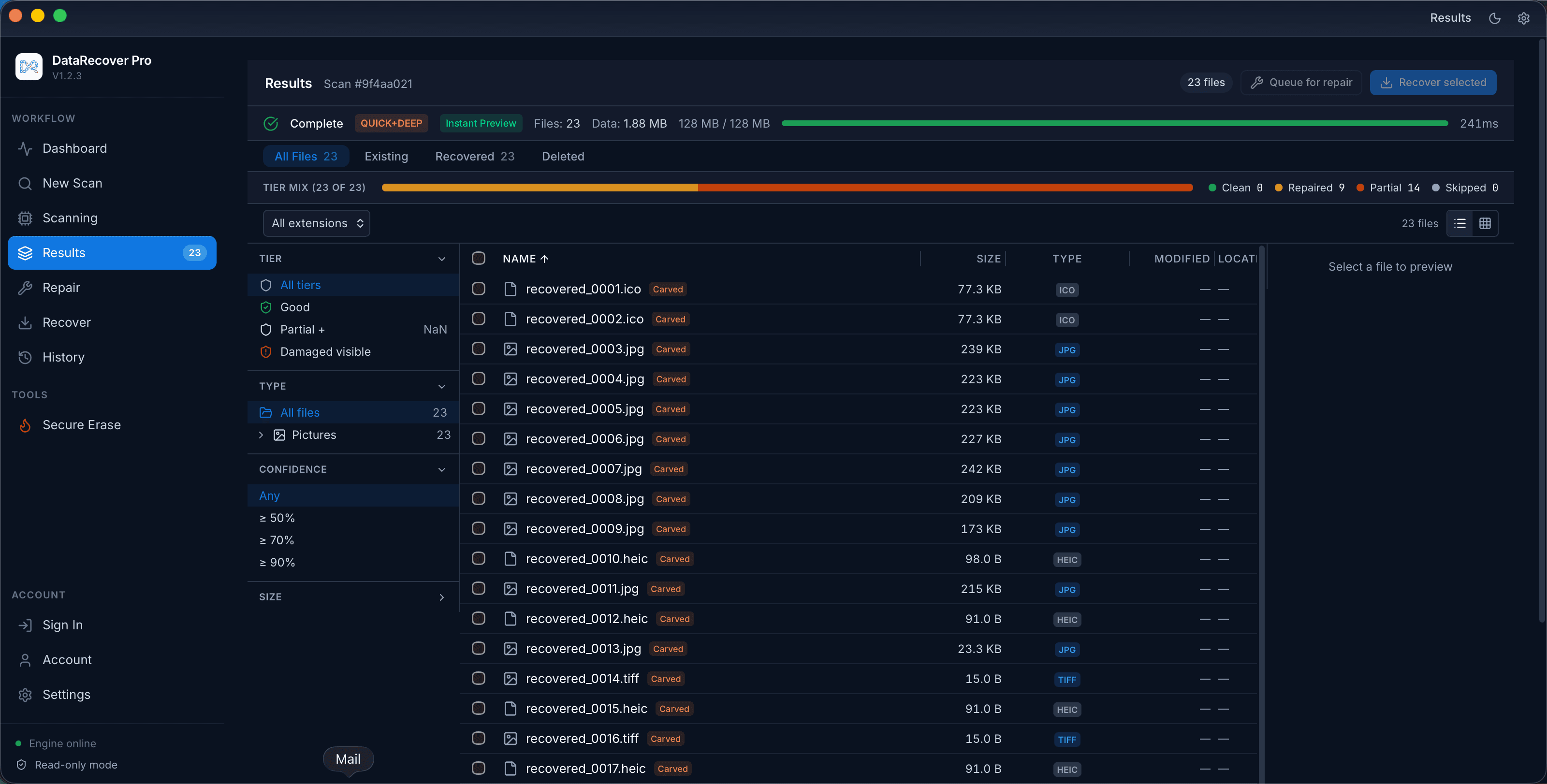
A recovery engine that doesn't stop at “found.”
Most tools list what they found and hand you broken files. DataRecover Pro finds more — then makes them usable again.
3-tier file repair
Rebuilds JPEG, PNG, GIF, MP4/MOV, PDF, and Word (.docx) files; extracts the intact images inside damaged RAW, HEIC, TIFF, and archive files; partial salvage for everything else — so recovered files actually open.
The file on the right is real engine output: drag to see what went in and what came out.
How repair works →
Filesystem-aware scan
Reads APFS, HFS+, NTFS, exFAT, and FAT32 metadata to instantly surface deleted files — names, folders, and all.
Deep signature carving
When the filesystem is gone, we carve files straight from raw disk blocks using 47+ format signatures, including RAW photo formats.
APFS checkpoint recovery
Reconstructs APFS volumes from prior checkpoints to recover data others miss after a crash or failed update.
Preview before you recover
Thumbnails, metadata, and macOS Quick Look — confirm a file is intact before you spend a recovery on it. Scanning and preview are free.
Lost partition recovery
Rebuilds vanished or reformatted volumes by scanning for filesystem superblocks, then recovers their contents.
Three steps. Minutes, not days.
- 01
Scan
FreePick a drive. Quick scan finds deleted files fast from filesystem metadata; deep scan carves everything recoverable from raw blocks.
- 02
Preview
FreeBrowse results with thumbnails and confidence scores. Quick Look any file to verify it before recovering.
- 03
Recover & repair
LicenseRestore to a safe location. Corrupted files are repaired on the way out — no broken downloads.
The only Mac recovery app that repairs your files.
Disk Drill and the rest find files. When those files come back corrupted, you're stuck. DataRecover Pro's sandboxed repair engine rebuilds JPEG, PNG, GIF, MP4/MOV, PDF, and Word (.docx) files, extracts the intact images inside damaged RAW, HEIC, TIFF, and archive files, and partial-salvages the rest — turning “recovered but unopenable” into “recovered and working.”
See the full comparison →| Capability | DataRecover Pro | Disk Drill |
|---|---|---|
| Where they differ | ||
| File repair (photos/video/docs) | Yes | No |
| APFS checkpoint recovery | Yes | No |
| Recovery confidence scoring | Yes | No |
| Same on both | ||
| Deleted-file recovery | Yes | Yes |
| Deep signature carving | Yes | Yes |
Scan and preview free. Pay only when you're sure.
Scan and preview everything for free — see exactly what's recoverable, with confidence scores, before you buy. A license unlocks recovery and repair.